

Are you tired of sending numerous individual emails and making little progress with your outreach campaigns?
Struggling to manage cold emails, follow-ups, and tracking, all within Gmail, without spending hours or investing in expensive platforms? You’re not alone. Email marketers, sales reps, and small business owners often hit a wall trying to scale their efforts without burning out or breaking the bank.
That’s where GMass steps in. Known as a powerful mail merge tool that works directly within Gmail, GMass has grown in popularity for its promise to help you send thousands of personalized emails, quickly and efficiently. But the question remains: Is GMass really the best mail merge software for Gmail users?
What is Gmass?
GMass is a powerful email outreach and mail merge tool designed to work seamlessly inside Gmail. It allows users to send mass personalized emails, manage automated follow-ups, and track campaign performance, all without leaving their inbox.
Most email tools require switching between multiple platforms or learning complicated CRMs. GMass eliminates that hassle by bringing advanced email marketing features directly into Gmail, making it incredibly easy for marketers, sales teams, recruiters, and even solopreneurs to run high-volume outreach campaigns without technical friction.
What does GMass do?
Imagine you’re a sales rep needing to send 1,000 personalized emails to potential leads this week. Normally, you’d spend hours copying and pasting, double-checking names, and setting reminders to follow up. Enter GMass. GMass automates this entire process right inside Gmail. It allows you to:
- Send personalized mass emails using Google Sheets as your contact list
- Schedule emails to go out at optimal times
- Set automated follow-ups that send only if a recipient doesn’t reply
- Track opens, clicks, and replies in real time
- Avoid Gmail’s sending limits through built-in SMTP or Google Workspace integration
In short, GMass transforms your Gmail into a full-blown email marketing engine—without requiring external tools or complicated setups.
GMass Features
1. Mail Merge with Google Sheets
GMass lets you connect a Google Sheet containing your contacts directly to Gmail. You can pull names, emails, and even custom fields like company names or job titles into your emails.
Example: You can write “Hi {FirstName},” and GMass will automatically pull in each recipient’s name from the sheet, making every email feel personalized.
2. Email Personalization
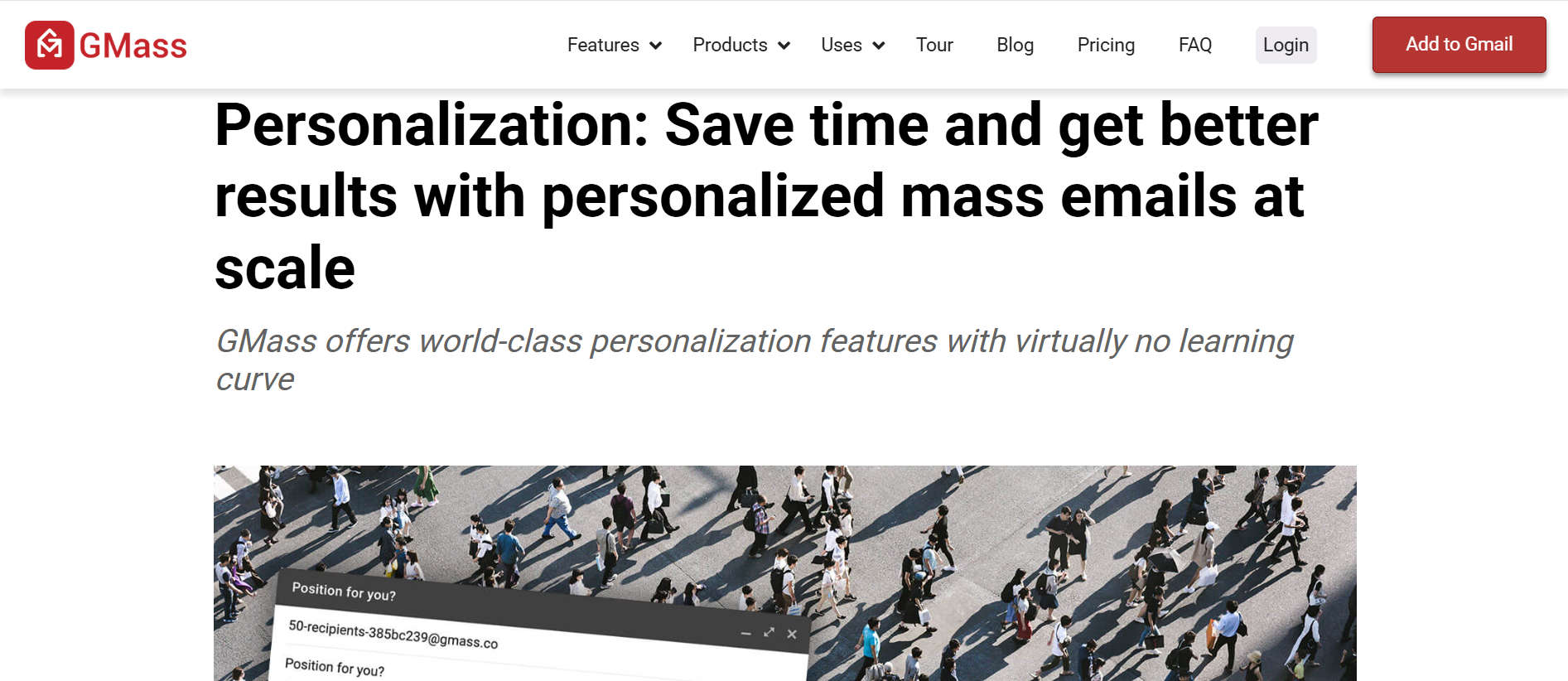
Beyond just names, GMass allows you to insert dynamic content for each recipient. You can personalize subject lines, intro lines, links, and even images based on your spreadsheet data.
Use Case: A recruiter can send one campaign to 50 job candidates, each email customized to their position and skills without manually editing a single one.
3. Automated Follow-Ups
With GMass, you can schedule automatic follow-up emails to non-responders, based on time delays, reply status, or engagement (like opens or clicks).
Why it’s useful: Instead of manually checking who hasn’t replied, GMass keeps the conversation going for you. For example, a follow-up email can be sent 3 days later only if the recipient hasn’t opened your message.
4. Email Scheduling
Plan your campaigns ahead by scheduling them to go out at specific times or staggered intervals to avoid Gmail’s sending limits.
Pro Tip: Schedule emails for early mornings or mid-week for higher open rates. GMass even lets you auto-resend to people who haven’t opened yet.
5. Open, Click, and Reply Tracking
GMass tracks who opened your email, who clicked a link, and who replied—all within Gmail. You get detailed analytics right from your inbox.
Insight: After sending a campaign, you can sort your results by engagement and focus on hot leads first.
6. Custom SMTP & Google Workspace Integration
For users who need to send large volumes (up to 10,000 emails a day), GMass supports SMTP integration and Google Workspace accounts to bypass Gmail’s default sending limits.
Best For: Agencies, cold outreach teams, or anyone running daily campaigns at scale.
7. Campaign Reports in Gmail Labels
GMass creates campaign-specific Gmail labels and organizes your sent emails into folders for easy access and review.
Example: If you’re running separate campaigns for leads, customers, and partners, each one gets its own Gmail label with performance stats.
8. Email List Building from Gmail Search
GMass can extract email addresses from past conversations using Gmail search, letting you build segmented lists based on keywords or interactions.
Use Case: A freelancer can search “inquiry about project” and instantly send a follow-up campaign to everyone who’s asked about their services.
9. Unsubscribe Management
It adds an unsubscribe link to your emails and automatically handles opt-outs, helping you stay compliant and professional.
Why it matters: Keeps your list clean and your sender reputation intact.
10. A/B Testing
GMass allows you to test different subject lines and content within a campaign to see what performs best.
Example: Try “Need a quick favor” vs. “Quick question for you” to see which gets better open rates.
GMass reviews from customers: Good and Bad
When choosing an email marketing tool, nothing speaks louder than real user feedback. As GMass gains popularity among marketers, sales teams, and small business owners, it’s essential to understand what actual users are saying.
Does it live up to the hype? Or are there hidden drawbacks that could be a dealbreaker for your workflow?
Pros
Seamless Gmail & Google Sheets Integration
- Users consistently highlight how GMass feels like an upgraded Gmail rather than an external tool, integrating directly with Google Workspace for intuitive campaigns.
- Google Sheets integration enables easy personalisation and segmentation, a top-rated feature across reviews.
Ease of Use
- Many reviewers praised its intuitive setup; one noted getting the system up and running within 15 minutes.
- Others said GMass requires almost no learning curve and feels like part of Gmail itself.
Time & Efficiency Gains
- Users say GMass “saves hours” on campaign setup and execution, reducing manual effort substantially.
- Automation of follow-ups and personalised campaigns accelerates lead nurturing and boosts response rates.
Powerful Personalisation & Campaign Tools
- Capable of mass sending personalised emails with dynamic fields pulled from Google Sheets.
- Features like automated follow-ups, A/B testing, tracking (opens/clicks/replies), and ad‑hoc drip workflows give users granular control and campaign optimisation.
Robust Analytics & Tracking
- Real‑time tracking of opens, clicks, replies, and bounce metrics, all accessible within Gmail labels and dashboards.
- Campaign reports are conveniently organised with Gmail labels for overview and review.
Deliverability and Value
- Users report better deliverability compared to typical bulk sending, likely thanks to GMass routing and Gmail API use.
- Rated excellent value, especially for small teams or freelancers compared to larger email platforms.
- Frequent mention of responsive and helpful customer support, delivering troubleshooting when needed.
Complaints
1. Misleading “Unlimited” Messaging & Gmail Limits
Although GMass advertises “unlimited” campaigns, Gmail enforces strict daily sending limits, typically 500 emails/day for standard accounts and up to ~2,000/day for Google Workspace.
Users often hit these limits unexpectedly, and GMass’s workaround features (like distributing across multiple accounts or external SMTP integration) introduce complexity and cost.
2. Deliverability Risks & Account Suspension
Users have reported that their Gmail accounts have been suspended or flagged when sending high-volume cold emails. Resubmission or account recovery can be a slow, stressful process, and GMass support isn’t always able to assist with Google-related issues.
3. Steep Learning Curve & Usability Challenges
While powerful, the interface can feel outdated or clunky. Beginners often struggle, especially with follow-up logic or managing campaign sequences. Automation features like follow-ups can’t always be cancelled once set, and spreadsheet merge tags can be overly sensitive to small errors.
4. Billing & Customer Support Complaints
Numerous users complain about being charged after cancellation, multiple billing issues, and difficulty obtaining refunds. Support is often slow (up to 48-hour wait), with no live chat or phone support, especially for lower-tier plans.
5. Limited Analytics & Reporting Capabilities
While GMass offers basic open/click tracking, its analytics visualization is minimal, data is mostly text-based, and reporting lacks dashboard views or exportable campaign summaries. Team collaboration features are absent.
Pricing: Is GMass free or paid?
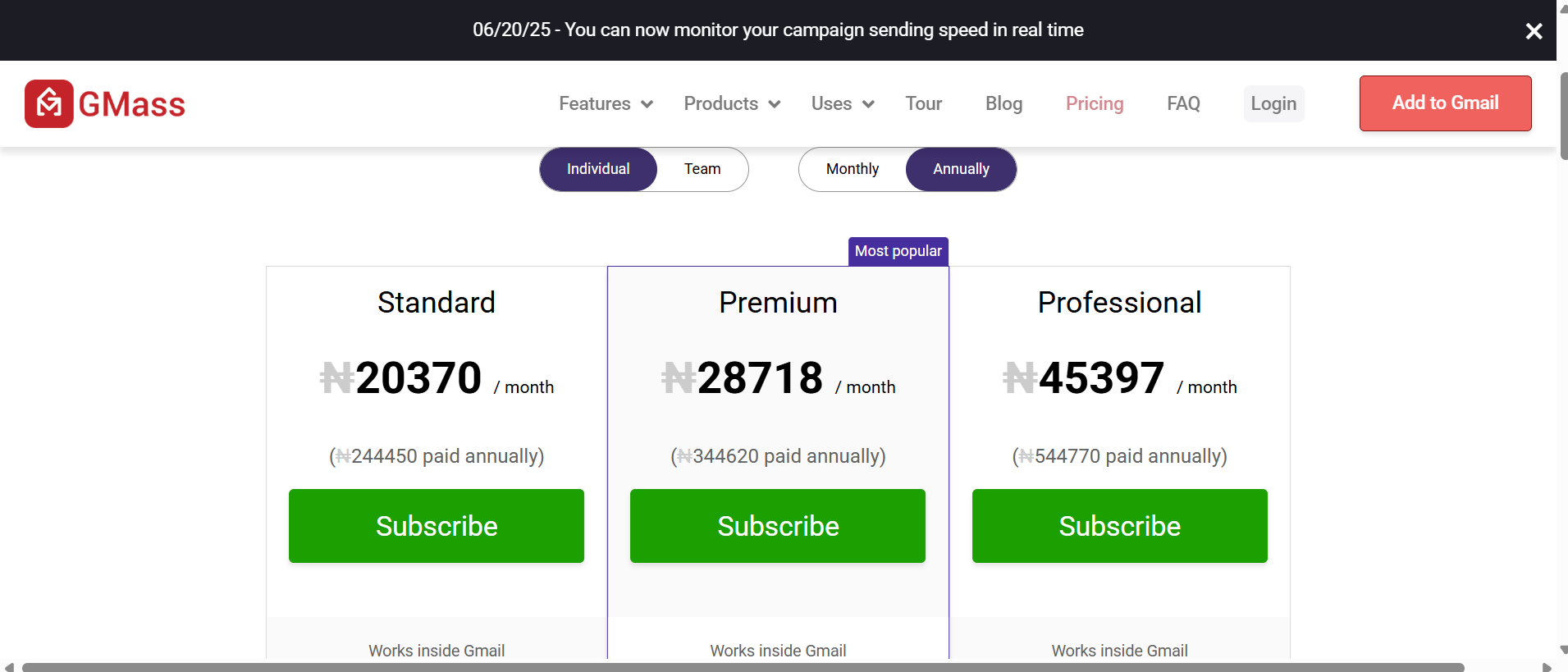
Previously allowed up to 50 emails per day with basic personalization, tracking, and campaign features. GMass discontinued its free plan on Jan 1, 2024, and now offers a 7-day trial limited to 50 emails per day
| Plan | Monthly (or Annual) |
| Standard | $25/mo ($225/yr) |
| Premium | $35/mo ($325/yr) |
| Professional | $55/mo ($525/yr) |
| Team (5 users) | $145/mo |
Visit Gmass Pricing Page to learn more
Final verdict: Should you use GMass for email?
If you’re looking for a seamless way to run personalized email campaigns right from Gmail, GMass is one of the best tools available. It combines ease of use, powerful automation, and native Google integration to help individuals and small teams scale their outreach without switching platforms.
While it has some limitations, like Gmail sending caps and basic design features, its core strengths lie in automation, personalization, and campaign tracking.
For sales reps, marketers, recruiters, and founders looking to boost email engagement, GMass offers a cost-effective solution to send more emails, get more replies, and save hours.
Not sure if it’s right for you? Try the 7-day free trial and send up to 50 personalized emails/day with no credit card required. It’s the easiest way to test how GMass fits into your workflow before committing.
Related Article: Boulevard Software Reviews: Pros, Cons and Pricing