

Google Veo 3 is Google DeepMind’s latest leap in AI-powered video generation, and honestly… it’s pretty mind-blowing.
Unveiled at Google I/O 2025, Veo 3 takes a simple text prompt and turns it into high-quality, cinematic video, complete with ambient sounds, sharp visuals, and even spoken dialogue. Yep, it’s not just visuals anymore. This version adds realistic audio that syncs perfectly with the video, making it feel more like a mini-movie than a generic AI clip.
What really impressed me was how naturally it handles scene transitions, camera angles, and motion tracking. It doesn’t just generate a video, it understands what you’re trying to create. You can ask for something like “a serene beach at sunset with waves crashing and distant seagulls”… and you’ll get exactly that, sound included.
This update marks a huge step forward from earlier tools, where videos often looked flat or silent. With Veo 3, Google might just be setting the new standard for text-to-video AI.
Key Features of Google Veo 3
What makes Google Veo 3 stand out from other AI video tools? It’s not just about generating clips, it’s about making them feel real. Here are the key features that caught my attention:
1. Text-to-Video Generation
Type in a short prompt like “a rainy city street at night” or “a cat chasing a butterfly in a meadow”… and Veo 3 brings it to life. Each clip is around 8 seconds long and looks surprisingly cinematic, we’re talking smooth motion, natural lighting, and sharp detail. It’s not a gimmick. It feels like someone filmed it.
2. Realistic Audio Integration
This is where Veo 3 really levels up. You don’t just get visuals, you get sound that fits. From ambient noise like wind or footsteps to sound effects and even spoken dialogue, it adds depth that older AI models just couldn’t. The result? Videos that actually sound alive, not just look good.
3. Lip-Sync Accuracy
This one blew me away. When a character speaks in Veo 3, their lips actually match the words, almost perfectly. It’s the kind of detail that makes a huge difference, especially if you’re working on dialogue-driven content. No awkward delays or mismatched mouth movements, it just looks natural.
4. Multi-Character Scene Handling
Veo 3 doesn’t stop at single-subject videos. It can handle multiple characters in the same scene, and they actually interact with each other in believable ways. Think: two people talking on a park bench, a group walking down a street, or even a crowd at a concert. It keeps everything coherent, so the story flows smoothly from one frame to the next.
5. Prompt Interpretation
One of the smartest things about Google Veo 3 is how well it understands what you’re asking for. Even with complex prompts, like “a child discovering a hidden cave behind a waterfall, with glowing crystals inside”, Veo doesn’t just mash up images.
It builds a coherent mini-story. Each part of the prompt shows up in a way that makes sense visually and emotionally.
This kind of narrative flow is rare in AI tools. But Veo 3 pulls it off, making it ideal for creators who want more than just pretty clips, they want meaning and mood, too.
Pricing and Availability
Right now, Google Veo 3 isn’t open to everyone, but if you’ve got access, you’re ahead of the curve.
- Subscription Model
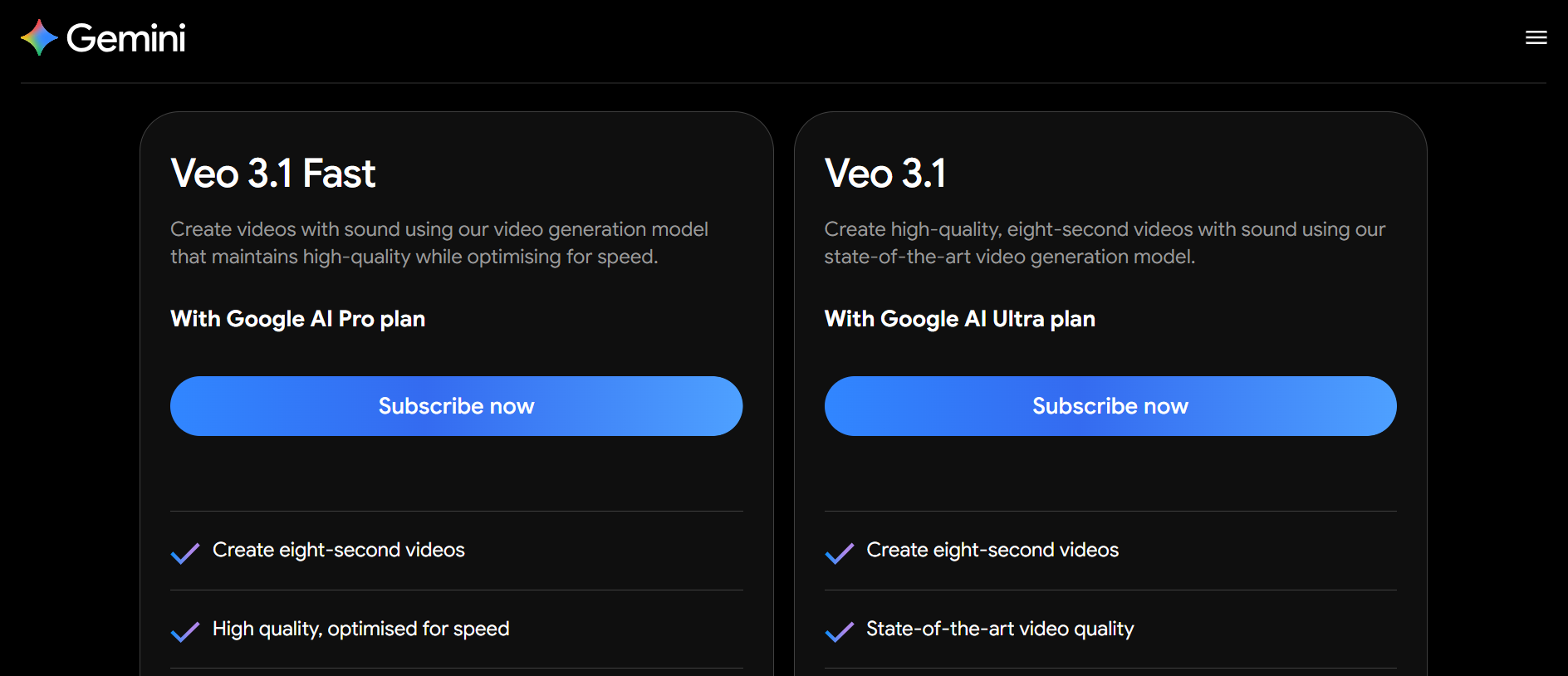
Veo 3 is currently available through the Gemini app, but only if you’re subscribed to the AI Ultra plan, which runs at $249.99/month. It’s a steep price, sure, but for creators, agencies, or marketers who need cutting-edge AI video generation, the tools packed into this plan might be worth it. - Enterprise Access
If you’re part of a business or team, you can also tap into Veo 3 via Google’s Vertex AI platform. This makes it easier to scale production or integrate it into more complex workflows, perfect for brands building high-volume content or custom applications. - Geographical Availability
For now, access is limited to U.S.-based users who are subscribed to the AI Ultra plan. So if you’re outside the U.S., you’ll have to wait a bit, or use a workaround until Google expands availability.
In short, it’s powerful, but also a bit exclusive for the moment.
Visit Google Veo Pricing Page to learn more
Pros of Using Google Veo 3
There’s a lot to love about Google Veo 3, especially if you’re someone who wants to create visually stunning content without the heavy lift.
- High-Quality Output
The videos Veo 3 generates are seriously impressive. In many cases, they look like they were shot by professional filmmakers—from the lighting and camera movement to the natural feel of the environment. Whether it’s a peaceful forest or a dramatic cityscape, the detail is next-level. - Time Efficiency
Traditional video production takes time, gear, and people. With Veo 3, you just type your idea and get a polished result in seconds. It’s a huge time-saver for creators, marketers, and teams who need high-quality content fast. - Creative Empowerment
Have a wild idea in your head? Now you don’t need a full crew or a big budget to bring it to life. Veo 3 lets you turn imagination into video—whether it’s a dreamlike fantasy scene or a simple product concept—without needing editing skills or special effects software.
In short, it’s like having a full video production studio in your pocket… just powered by AI.
Cons and Limitations
As impressive as Google Veo 3 is, it’s not perfect. There are a few areas where it still feels like a work in progress.
- Prompt Interpretation Issues
While Veo 3 usually gets the idea right, it can sometimes misread details—like using the wrong camera angles or skipping visual elements you included in the prompt. That can be frustrating, especially when you’re trying to build a specific mood or scene. - Audio Activation Challenges
Yes, Veo 3 includes realistic audio, but some users report it doesn’t always kick in reliably. There have also been hiccups with lip-sync accuracy and subtitle alignment, making dialogue-driven clips a bit hit-or-miss. - Complex Scene Coherence
Veo 3 does well with simple prompts, but it can struggle when you ask for multi-character scenes with lots of interaction. Movements may feel stiff or disconnected, and story flow can get lost when things get too intricate. - Ethical Concerns
Like other AI tools, Veo 3 brings up questions about misinformation, content ownership, and the blurring of reality. The fact that it can produce videos so close to real footage makes it powerful—but also something that should be used responsibly.
Who Should Use Google Veo 3?
If you’re wondering whether Google Veo 3 is right for you, here’s a quick look at who can get the most out of it:
- Content Creators
Whether you’re a YouTuber, TikToker, or social media influencer, Veo 3 helps you crank out high-quality videos fast. No need for expensive gear or editing skills—just type your idea and get eye-catching clips ready to share. - Filmmakers and Video Producers
For professionals, Veo 3 is a handy tool to generate realistic scenes without the usual hassle of sets, actors, or locations. It’s perfect for brainstorming, pre-visualization, or even creating background footage on a budget. - Businesses and Marketers
Need promotional videos or engaging ads? Veo 3 can help brands produce polished marketing content quickly, making it easier to stay fresh and relevant across channels.
Conclusion: Is Google Veo 3 Worth It?
Google Veo 3 definitely stands out as a powerful player in the world of AI-driven video creation. Its ability to transform simple text prompts into realistic, high-quality videos with synchronized audio is genuinely impressive, and something that wasn’t easily achievable until now.
That said, the subscription cost is on the higher side, and there are still some limitations to keep in mind, like occasional prompt misinterpretations and audio hiccups. So, it’s important to weigh these factors against what you really need.
If you’re a content creator, marketer, or filmmaker looking for a way to streamline video production and experiment creatively without the usual time or budget constraints, Veo 3 offers a promising new avenue worth exploring.
In short: If you want cutting-edge AI video tools and can work within the current access and cost, Veo 3 is definitely worth checking out.
See Related Article: ElevenLabs vs. Synthesia AI: Which AI Tool Suits Your Needs?