

If you’re thinking about freelancing or looking to hire talent online, you’ve probably heard of Upwork. It’s one of the most well-known platforms that connects businesses with freelancers in fields like tech, design, writing, marketing, and more.
In this review, I’ll walk you through what Upwork is really like, its features, pricing, and both the pros and cons, so you can decide if it’s the right fit for your goals. Whether you’re here to find work or hire help, this comparison aims to give you a clear, honest picture.
Understanding Upwork
Here’s how Upwork works: clients post jobs, and freelancers submit proposals. You apply to gigs that match your skills, set your own rates, and once hired, you complete the work through Upwork’s system. The platform handles everything from contract terms to secure payments and chat-based communication.
One of the things that stands out about Upwork is its global reach. It’s not just for US-based users, freelancers and clients from over 180 countries use it daily. That means you get access to a wide range of opportunities and talent, whether you’re looking to work with a startup in Berlin or a marketing agency in New York.
Key Features of Upwork
1. Talent Marketplace
One of the main features that sets Upwork apart is its Talent Marketplace. This is where you can actively search for freelancers by skill, experience level, hourly rate, or even location.
Think of it like LinkedIn, but with a focus on hiring. You can browse detailed profiles, view client reviews, and dive into portfolios that showcase real past work, everything from mobile app designs to content strategies.
Let’s say you need a Python developer for a short-term SaaS project. You can filter by tech stack, look at samples of GitHub repositories or apps they’ve built, and even see ratings from past clients who hired them for similar tasks.
This makes it easy to choose someone who matches your expectations before you even reach out.
2. Project Catalog
The Project Catalog works more like an online store. Instead of starting from scratch with a custom job post, you can scroll through predefined service packages created by freelancers.
These are clearly priced and scoped. For example, if you need a logo designed for a new brand, you might find a catalog listing that offers “3 custom logo concepts with 2 revisions for $150.”
It’s fast, transparent, and perfect when you want to skip the back-and-forth of negotiating a new project from the ground up. This feature is especially helpful for busy entrepreneurs or small business owners who need quick, reliable results with no surprises in cost.
3. Consultations
Another standout feature on Upwork is Consultations. Instead of hiring someone for a full project, you can book a one-on-one session with a freelancer or expert in your field.
This is ideal if you’re stuck on strategy, need a second opinion, or want help shaping the direction of your project before committing to a bigger investment.
For instance, if you’re launching an eCommerce site and aren’t sure about the best Shopify integrations, you could schedule a 30-minute consultation with a Shopify expert.
They’ll walk you through options, pitfalls to avoid, and even give you tips tailored to your budget. It’s like having a coffee chat with an industry pro, except way more productive and straight to the point.
4. Collaboration tools
Upwork also includes built-in collaboration tools that make communication super smooth. You don’t need to switch between platforms to message, video chat, or share files.
Everything’s in one place. Imagine working with a graphic designer from another country, you can exchange drafts, leave comments directly in the chat, and hop on a quick video call to give feedback in real time.
These tools are especially helpful for keeping projects on track and making sure nothing gets lost in translation. And the best part? You don’t need to rely on third-party apps, it’s all right inside Upwork.
Pricing and Fees
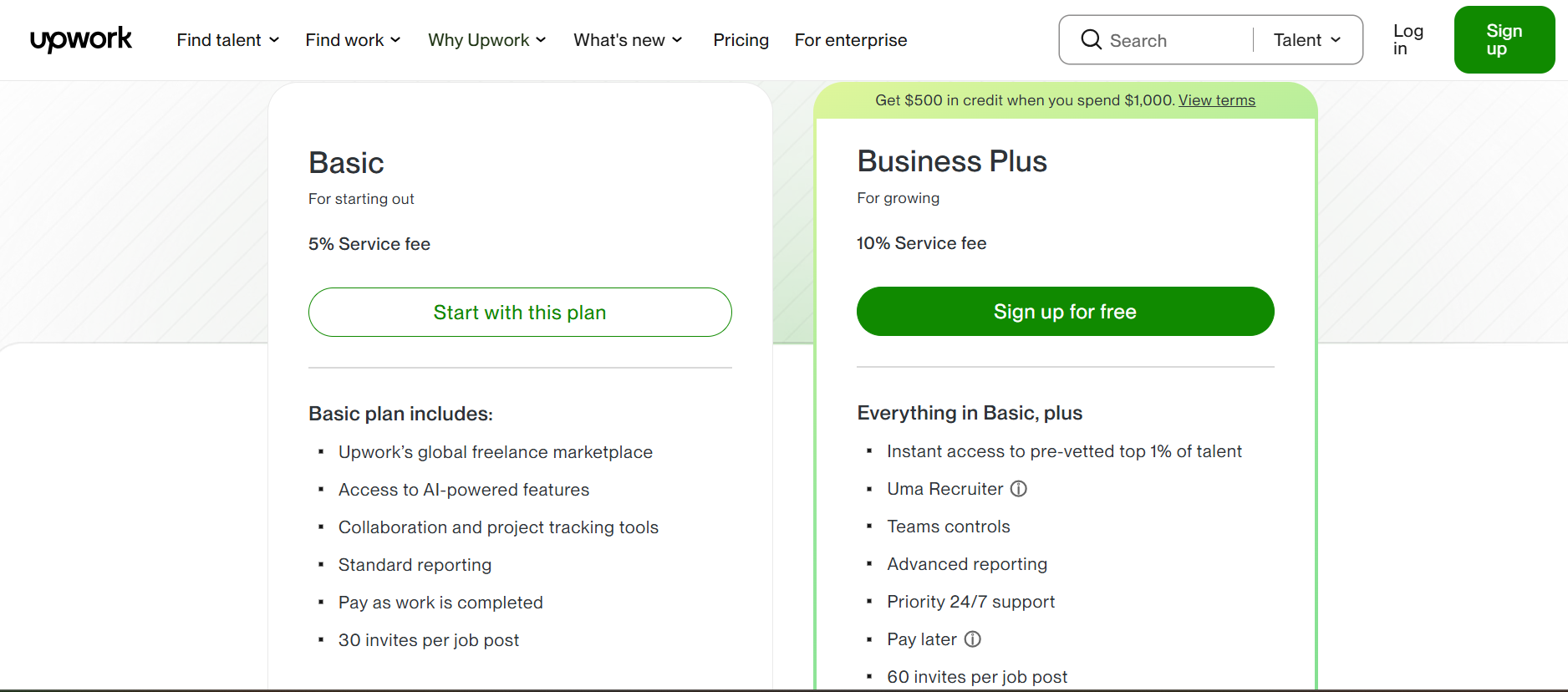
On upwork, freelancer can enjoy some features on the free package. But you have to buy connects to bid for jobs.
However, there’s also an optional plan called Freelancer Plus, which costs $19.99/month. This gives you a few extra tools to boost your presence, like seeing competitor bids, keeping your profile visible even when you’re not actively applying, and getting more Connects (which you need to submit proposals).
If you’re serious about freelancing full-time or want to stand out in competitive categories like tech or design, it might be worth the investment. But if you’re just testing the waters, you can absolutely start with a free basic account.
Pros and Cons
Pros
- One of the biggest advantages of Upwork is the access to a diverse and global talent pool. Whether you need a developer in India, a writer in the UK, or a graphic designer in Brazil, you’ll find professionals with a wide range of skills and experience. This global reach means you’re not limited to your local market, which is great if you want fresh ideas or specialized expertise.
- Upwork’s secure payment system is another major plus. They use escrow protection (now called project funds), which means your money is held safely until the work is approved. This protects both freelancers and clients, giving peace of mind that projects will be paid for only after you’re satisfied with the results.
- Plus, the platform offers comprehensive freelancer profiles and client reviews. You can check ratings, read feedback from previous clients, and see real examples of past work. This transparency helps you make informed decisions, whether you’re hiring or pitching for jobs. For instance, if a freelancer consistently gets 5-star reviews for timely delivery, it’s a good sign they’re reliable.
Customer Reviews
Review on G2 by Amy E. praises Upwork as great for freelancing
“I love how easy the website and a6pp are to use. It’s very well organized and user friendly. When I have a project, I use it daily, especially for the time tracking and the messaging features. Downloading and signing up was easy. I have never had to work with customer service, so I can’t speak to that.”
Cons
Upwork’s large talent pool means high competition among freelancers, which can sometimes drive prices down—especially for beginners. If you’re just starting out, it can be tough to stand out and win projects without lowering your rates, which might affect your earnings.
The service fees can also feel steep, particularly for new freelancers. Paying 20% on the first $500 you earn with a client means a significant cut goes to the platform, which can eat into your profits when you’re still building your reputation.
Finally, like any open marketplace, there’s a risk of scams or unresponsive clients. Some freelancers report clients who disappear after the work is done or don’t provide clear instructions upfront. While Upwork offers dispute resolution and support, these situations can be frustrating and delay payment.
When to Choose Upwork
Upwork is especially useful when you need quick access to a wide range of freelancers. Imagine you’ve just landed a last-minute project and need a content writer, a web developer, and a graphic designer, all within days.
Upwork’s large talent pool means you can post jobs and start receiving proposals almost immediately, helping you meet tight deadlines without sacrificing quality.
It’s also a great choice for projects with clear scopes and budgets. Because Upwork supports both fixed-price and hourly contracts, you can outline exactly what you want done and how much you’re willing to spend.
For example, if you need a 5-page brochure designed with specific branding guidelines, you can post a fixed-price project and choose from freelancers who offer predefined packages or competitive bids. This transparency helps avoid surprises and keeps projects on track.
Conclusion: Making an Informed Decision
Upwork offers a powerful platform for both freelancers and clients looking for flexibility, access to a global talent pool, and secure payment options.
Its key features, from the Talent Marketplace to built-in collaboration tools, make it easy to find and manage projects of varying sizes. However, the platform’s fees, competition levels, and potential challenges mean it’s not a one-size-fits-all solution.
Before jumping in, consider your specific needs: Are you after quick, short-term projects or long-term hires? What’s your budget, and how involved do you want to be in managing the work? Thinking about these questions will help you decide if Upwork fits your style and goals.
If you value convenience, variety, and transparency, Upwork might just be the right freelance platform for you. But if you require specialized talent or long-term commitments, you might want to explore other options as well.
Related Reviews:
- Reclaim.ai Reviews 2025: Smart Scheduling Features, Pros, Cons & Pricing
- Printify Review 2025: Features, Pros & Cons Explained